
Technology continues to change the way we work, communicate, travel, entertain ourselves, and manage our homes. From AI-powered assistants and connected home devices to smart wearables and portable productivity tools, the latest tech gadgets are becoming more practical and accessible. Instead of simply adding more features, many new devices aim to make everyday tasks easier, reduce repetitive work, and help people stay connected.
In October 2026, smart-home technology is receiving particular attention. Apple has announced a new smart-home display called HomeView, alongside updates to its HomePod and Apple TV products and a collection of connected home accessories. These announcements highlight a broader industry trend: bringing artificial intelligence, home entertainment, security, and device control into a more connected experience.
However, not every new gadget is worth buying immediately. Some products solve real problems, while others are expensive upgrades that offer only small improvements over existing devices.
In this guide, we explore 10 categories of the latest tech gadgets to watch in 2026, explain what they do, and help you decide which technologies may be worth considering.
1. AI-Powered Smart-Home Hubs
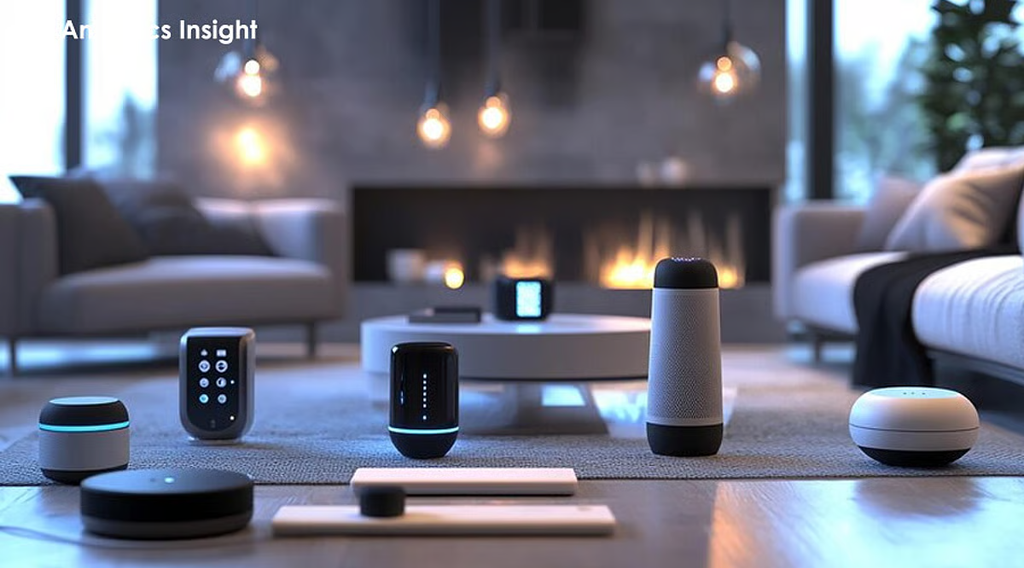
Smart-home hubs are becoming more capable as manufacturers combine voice assistants, displays, connected devices, and artificial intelligence.
A smart-home hub can serve as a central control point for compatible lights, thermostats, cameras, door locks, speakers, and other connected products. Instead of opening several applications, users can manage supported devices through one interface.
One notable announcement in October 2026 is Apple’s HomeView, a 7-inch smart-home display designed to bring home controls and an upgraded Siri experience into one device. Apple has also announced additional smart-home products and updates to its connected entertainment ecosystem.
What makes smart-home hubs useful?
A well-designed hub can help you:
- Control compatible smart lights and appliances.
- View supported security-camera feeds.
- Adjust heating or cooling settings.
- Create routines for mornings, evenings, and when you leave home.
- Use voice commands for common household tasks.
- Manage compatible devices from a central screen.
For example, a morning routine could turn on selected lights, display the day’s calendar, and adjust a compatible thermostat. The actual functions depend on the devices, platform, and available integrations.
Who should consider buying one?
Smart-home hubs are particularly useful for people who already own several connected devices or want to build a smart home gradually.
Before buying, check compatibility with your existing products. Also consider privacy settings, account requirements, software support, and whether the hub continues to offer useful functions if your internet connection is unavailable.
A smart display is most valuable when it simplifies your existing setup rather than creating another device that needs constant attention.
2. Smart Speakers and Connected Home Audio
Smart speakers remain useful gadgets for entertainment, voice control, reminders, and everyday convenience. Newer models increasingly work as part of a wider connected-home system rather than functioning only as wireless music players.
Depending on the model, a smart speaker may support music streaming, alarms, timers, weather updates, voice-controlled lighting, and communication with other compatible devices.
Apple’s October 2026 smart-home announcements also include an updated HomePod product. This reflects the continuing effort to combine better audio, connected-device control, and voice-assistant functionality.
What should you look for in a smart speaker?
Consider these features before making a purchase:
- Sound quality: Look for clear vocals, balanced audio, and enough volume for your room.
- Voice recognition: Check how reliably the speaker responds to commands.
- Compatibility: Confirm that it supports your preferred streaming services and smart-home platform.
- Privacy controls: Look for accessible microphone controls and understandable data policies.
- Multiroom audio: Consider whether you want to connect speakers in several rooms.
- Long-term support: Check software-update commitments and product availability.
A premium speaker may provide stronger audio performance, but it is not automatically the best choice for every household. A compact, affordable model can be sufficient for alarms, timers, podcasts, and occasional music.
The best smart speaker is one that fits your room, budget, and preferred ecosystem.
3. AI-Powered Productivity Gadgets
Artificial intelligence is becoming part of more productivity tools, including voice recorders, meeting assistants, smart notebooks, and software-connected accessories.
These devices are designed to reduce the time spent on repetitive tasks such as recording notes, organizing ideas, summarizing meetings, and converting speech into searchable text.
For example, an AI-enabled recording device may capture a meeting and generate a transcript or summary. A compatible digital notebook may help organize handwritten notes, while a voice assistant can help turn spoken ideas into a draft or task list.
How can AI productivity gadgets help?
They can be useful for:
- Students organizing lectures and study notes.
- Professionals reviewing meetings.
- Freelancers managing client discussions.
- Content creators capturing ideas while travelling.
- Small-business owners organizing tasks and reminders.
However, AI-generated summaries can omit details or misunderstand technical language. Important decisions, figures, names, and action items should always be checked against the original recording or notes.
Privacy is equally important. Before recording a meeting or conversation, obtain any consent required by applicable laws and workplace policies. Review whether the device processes recordings locally or uploads them to a cloud service.
Are dedicated AI gadgets better than smartphone apps?
Not necessarily. A dedicated gadget may provide physical controls, convenient recording, longer battery life, or a more focused workflow. A smartphone app may be cheaper and easier to update.
Compare the total cost, subscription requirements, transcription limits, supported languages, export options, and data-retention policies before choosing a device.
For many people, the most useful AI gadget is the one that fits naturally into an existing routine.
4. Smart Glasses and Wearable Technology
Smart glasses are an evolving category of wearable technology. Depending on the model, they may support audio playback, hands-free calls, voice commands, notifications, or AI-assisted interactions.
Some models also include cameras, while others deliberately omit them. The available features differ significantly between products, so buyers should not assume every pair of smart glasses provides the same capabilities.
What can smart glasses do?
Depending on the device, potential uses include:
- Listening to music without traditional headphones.
- Answering calls while keeping your hands free.
- Accessing a voice assistant.
- Receiving notifications while moving around.
- Capturing photographs or video on camera-equipped models.
- Getting hands-free assistance for selected tasks.
Smart glasses can appeal to travellers, commuters, content creators, and people who want convenient audio access without constantly looking at a phone.
Nevertheless, comfort is essential. Weight, fit, battery life, prescription-lens support, and outdoor visibility can influence daily usability more than a long feature list.
Privacy deserves special attention. If a device has a camera or recording capability, use it responsibly and respect other people’s privacy.
Before purchasing, check whether its key features work in your country, which languages it supports, and whether some functions require a particular smartphone or paid service.
5. Smartwatches and Health-Tracking Wearables
Smartwatches and fitness bands remain among the most practical everyday gadgets because they combine notifications, activity tracking, and selected health-related measurements in a compact device.
Depending on the model, features may include step counting, workout tracking, heart-rate monitoring, sleep estimates, GPS, and notifications from a connected smartphone.
More advanced wearables may also offer additional measurements or safety functions. Availability and accuracy vary by product, region, and software version.
Which smartwatch features matter most?
Rather than choosing a smartwatch based only on its appearance, consider how you intend to use it.
For fitness: Check workout modes, GPS performance, water resistance, and battery life during exercise.
For everyday convenience: Look for reliable notifications, call handling, calendar integration, and comfortable controls.
For sleep tracking: Consider wearing comfort overnight and how easily the device presents useful trends.
For travel: Battery life, navigation features, offline functionality, and compatibility with your phone may matter most.
For safety: Review emergency features and whether they work independently or require a connected phone or cellular plan.
Remember that consumer wearables do not replace professional medical evaluation. Health readings may be estimates and can be affected by fit, movement, device design, and other factors.
Before upgrading, compare the new model with your current watch. A slightly longer battery life or a minor interface change may not justify the cost if your existing device already meets your needs.
6. Smart Security Cameras and Video Doorbells
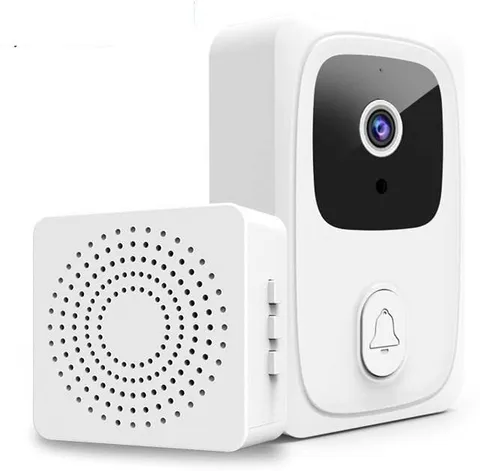
Smart security gadgets are becoming an important part of connected homes. Video doorbells, indoor cameras, outdoor cameras, and smart locks can help homeowners monitor access points and manage security-related tasks remotely.
Depending on the model, these products may offer motion notifications, live video, two-way audio, night vision, activity zones, and recorded clips.
The latest smart-home ecosystem developments also show increasing emphasis on integrating cameras, locks, and other devices into a shared control platform.
What should you consider before buying a smart security gadget?
Video quality: Choose a resolution and field of view appropriate for the location. A high resolution alone does not guarantee useful footage in poor lighting.
Night performance: Review how clearly the camera records after dark.
Storage: Compare local storage, cloud storage, subscription costs, and recording limits.
Connectivity: Check Wi-Fi requirements and what happens when the internet connection fails.
Privacy: Look for encryption, account security, access controls, and clear policies for video storage.
Compatibility: If you already use a smart-home platform, verify that the camera or doorbell works with it.
For outdoor devices, weather resistance and suitable installation are also important.
Smart security products should complement sensible physical security practices, not replace them. Use strong, unique passwords, enable multifactor authentication where available, and keep firmware updated.
7. Portable Power Banks and Fast-Charging Accessories
Portable charging accessories may not attract as much attention as AI devices, but they solve a common problem: keeping phones, tablets, earbuds, and other electronics powered throughout the day.
Modern power banks vary in capacity, charging speed, port selection, size, and supported charging standards. Some models can also charge laptops, provided their output and the laptop’s requirements are compatible.
How do you choose the right power bank?
Start with your devices and daily routine.
- For a smartphone: A compact power bank may be sufficient for commuting or short trips.
- For travel: Consider capacity, weight, charging speed, and airline restrictions.
- For tablets: Look for suitable output power and supported charging protocols.
- For laptops: Verify the required USB-C Power Delivery wattage and cable compatibility.
- For multiple devices: Consider the number of ports and whether power is shared between them.
Do not assume that a larger capacity automatically means faster charging. Capacity and output power are different specifications.
Also check whether a charger or cable supports the charging standard advertised by your device. A high-wattage adapter will not necessarily make an incompatible device charge faster.
Choose reputable products with appropriate safety protections. Avoid damaged batteries, unknown sellers, and suspiciously cheap accessories that lack credible safety information.
8. Wireless Earbuds and Noise-Cancelling Headphones
Wireless audio devices are useful for commuting, working, exercising, travelling, and enjoying entertainment without cables.
Basic wireless earbuds may be enough for podcasts and everyday calls. More advanced models can offer active noise cancellation, transparency modes, spatial audio, multipoint connectivity, and improved microphone performance.
What is the difference between active noise cancellation and passive isolation?
Passive isolation comes from the physical fit of the earbud or headphone, which helps block outside sound.
Active noise cancellation uses microphones and electronic processing to reduce certain environmental sounds. Its effectiveness depends on the device, the sound environment, and the fit.
Neither feature guarantees that every sound will disappear.
Features worth comparing
- Comfort during long listening sessions.
- Battery life and charging-case capacity.
- Microphone clarity for calls.
- Noise cancellation and transparency performance.
- Compatibility with your phone and computer.
- Water and sweat resistance where needed.
- Repairability, replacement tips, and warranty coverage.
For office workers, multipoint connectivity can be especially convenient because it allows supported headphones to connect to more than one device.
For commuters, noise cancellation may improve comfort, but it is important to remain aware of traffic and public-safety announcements. Keep the volume at a sensible level to protect your hearing.
9. Portable Monitors and Compact Productivity Accessories
Remote work, hybrid offices, and mobile content creation have increased interest in portable productivity gadgets.
Portable monitors, compact keyboards, USB-C hubs, laptop stands, and ergonomic accessories can make a small workspace more functional without requiring a permanent desk setup.
A portable monitor can provide additional screen space for documents, spreadsheets, video editing timelines, and research. A compact keyboard can improve typing comfort, while a suitable USB-C hub can connect compatible devices to external displays, storage, and peripherals.
Are portable monitors worth buying?
They can be useful if you regularly work away from a fixed office or need more screen space while travelling.
Before purchasing one, check:
- Screen size, resolution, brightness, and viewing angles.
- Whether the monitor receives both video and power over one cable.
- Compatibility with your laptop, tablet, or phone.
- Stand stability and available mounting options.
- Weight and protective-case requirements.
- Whether the device needs an external power supply.
USB-C ports do not all support the same functions. Confirm that your device supports video output through the specific port you plan to use.
If you work mostly from home, a larger conventional monitor may provide better value. If you frequently move between locations, portability may justify the trade-off.
10. Smart Lighting and Energy-Conscious Home Gadgets
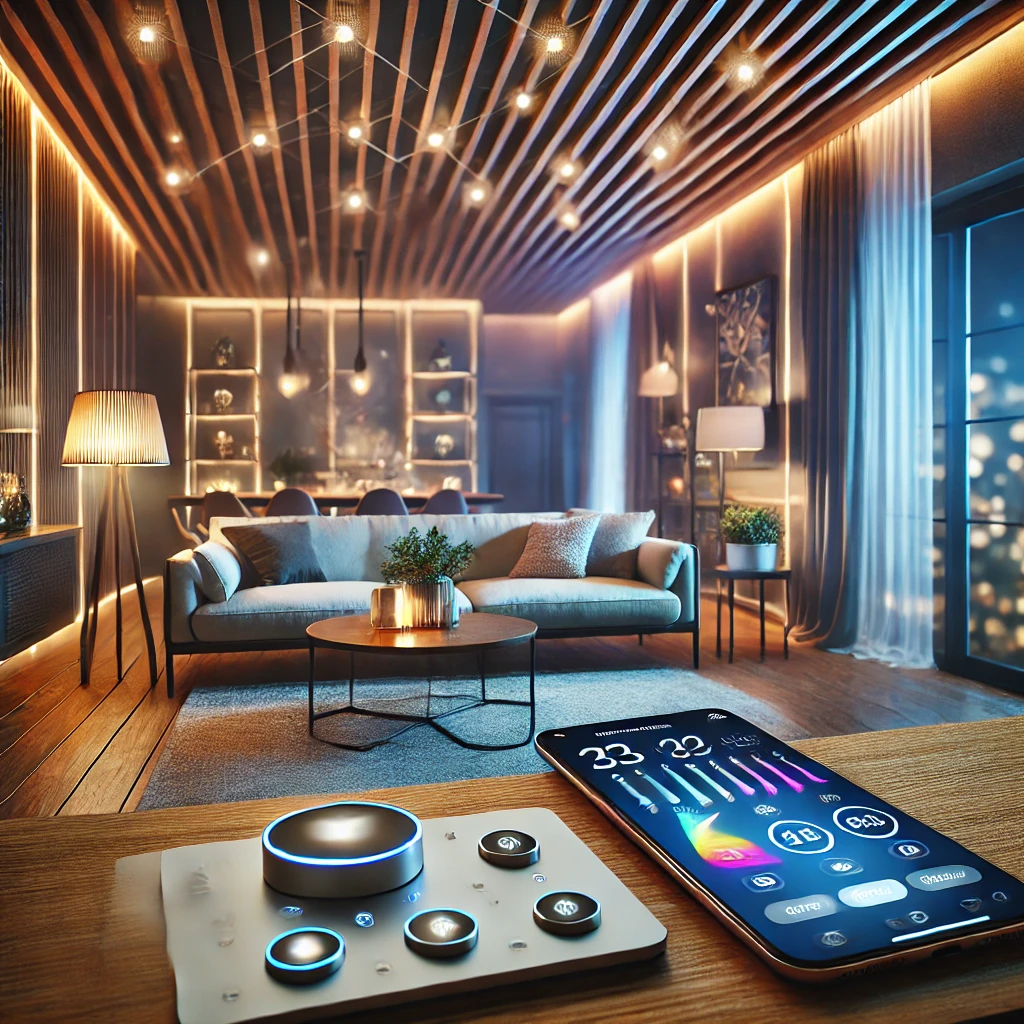
Smart lighting is a practical entry point for people who want to automate their homes without purchasing a large collection of expensive devices.
Smart bulbs, switches, plugs, motion sensors, and compatible thermostats can help automate selected household routines.
For example, you might schedule lights to turn on in the evening, switch off selected devices when leaving home, or adjust compatible heating and cooling systems based on a routine.
What should you look for in smart lighting?
Connectivity: Determine whether the product uses Wi-Fi, Bluetooth, a dedicated hub, or another supported protocol.
Compatibility: Check whether it works with your existing smart-home system.
Controls: Consider schedules, dimming, colour adjustment, physical switches, and voice commands.
Energy use: Compare the actual power consumption of the device and whether its automation could reduce unnecessary usage.
Installation: Smart plugs and bulbs may be straightforward to install, but hardwired switches and electrical work can require a qualified professional.
Automation does not automatically guarantee lower electricity bills. Savings depend on your existing habits, the devices being controlled, and how the system is configured.
Start with one room or a small number of devices. Once you know which features you use regularly, you can expand your setup without spending unnecessarily.
How to Choose the Best Tech Gadgets in 2026
With so many devices available, it is easy to spend money on features that sound impressive but offer little practical value. A simple buying framework can help you focus on what matters.
1. Identify the problem you want to solve
Start with a specific need. Do you want to improve productivity, simplify home controls, stay active, improve audio quality, or keep devices charged while travelling?
A clear goal makes it easier to compare relevant products.
2. Set a realistic budget
Consider the total cost, not just the advertised purchase price. Subscriptions, replacement accessories, compatible hubs, repairs, and cloud storage can increase the long-term expense.
3. Check compatibility
Confirm that the gadget works with your smartphone, computer, operating system, home network, and other connected devices. Check regional restrictions before purchasing products that depend on specific services.
4. Read independent reviews
Look for hands-on testing that discusses real-world battery life, reliability, comfort, performance, and limitations. Manufacturer specifications are useful, but they do not tell the whole story.
Give greater weight to reviews that explain how products were tested and distinguish measured results from marketing claims.
5. Review privacy and security
Connected gadgets can collect information about your voice, location, habits, activity, or home environment. Review permissions, data retention, cloud processing, encryption, and account-security options.
6. Consider long-term support
Check the manufacturer’s software-update policy, warranty, repair options, and availability of replacement parts. A slightly older device with dependable support may be a better purchase than a newer product with uncertain long-term maintenance.
7. Avoid upgrading unnecessarily
If your current device performs its main functions reliably, you may not need a replacement. Compare the improvements that matter to you against the cost of upgrading.
Are the Latest Tech Gadgets Worth Buying?
The latest tech gadgets can be worthwhile when they solve a real problem, fit into your existing setup, and provide reliable value over time.
Smart-home hubs may simplify device control. Wearables can make activity tracking more convenient. AI productivity tools may reduce repetitive work, while portable monitors and charging accessories can improve a mobile workspace.
However, new does not always mean better. Newly announced devices may have limited availability, early software issues, regional restrictions, or features that are not yet fully developed.
Before purchasing a new gadget, verify its release status, current price, compatibility, independent reviews, and warranty. This is particularly important for products announced recently, because specifications and availability may change.
For most buyers, the smartest approach is to prioritize practical benefits over novelty. Choose a few well-supported devices that make everyday life easier rather than building a collection of technology you rarely use.
Conclusion
The latest tech gadgets in 2026 reflect a shift towards more connected, AI-assisted, and practical everyday technology. Smart-home displays and speakers are bringing device control into shared spaces, while wearables, productivity tools, portable monitors, and charging accessories continue to support work, travel, fitness, and entertainment.
The right gadget depends on your needs, budget, and existing devices. Before making a purchase, compare independent reviews, check compatibility, consider privacy and long-term support, and confirm whether the product is actually available in your region.

blogsprdp
blogsprdp writes about tech, workspace setups and travel gear for Blogsprdp.
All articles by blogsprdpRelated articles

How to Plan the Perfect Miami Bachelorette Party
Planning a bachelorette party in Miami sounds like the perfect combination of sunshine, beaches, delicious food, nightlife, and time with your closest friends. But turning that idea into a smooth, memorable celebration takes a little planning. A successful Bachelorette Party Miami experience is about more than choosing a popular nightclub or booking a beautiful hotel. […]
blogsprdp · Oct 8, 2026 · 7 min
What Bridesmaids Should Wear to a Bachelorette Party
Planning the perfect bachelorette look can be as exciting as planning the celebration itself. Choosing the right outfit for a glamorous night out, a relaxing spa day, or a weekend at the beach helps you feel confident, comfortable, and ready to celebrate the bride-to-be. Finding the best bridesmaids outfits doesn’t mean everyone has to wear […]
blogsprdp · Oct 7, 2026 · 8 min
Bachelorette Party Checklist: Free Printable for Stress-Free Planning
Planning a bachelorette party should be exciting—not overwhelming. Small details are easy to overlook when planning a bachelorette party, with many tasks to manage, including choosing the date, coordinating activities, handling the guest list, and ensuring the bride has a memorable experience. That is where a Bachelorette Party Checklist can make all the difference. A […]
blogsprdp · Oct 6, 2026 · 6 min